Table of Contents
Verifying I-9 Forms
Employers are required to verify I-9 documents within 3 days of an employee's first day of work. It is recommended best practice to verify I-9 documents before an employee begins working. Under U.S.…

Updated
by Tracy Cochran
Table of Contents
Employers are required to verify I-9 documents within 3 days of an employee's first day of work.
- It is recommended best practice to verify I-9 documents before an employee begins working.
- Under U.S. law, if an employee performs work, the employer must pay them for all hours worked on the corresponding regularly scheduled pay day for the pay period, even if the Form I-9 employment eligibility verification has not yet been completed. The Fair Labor Standards Act (FLSA) requires payment for work performed regardless of paperwork status. Failure to complete the I-9 on time is an employer compliance issue, not a justification for withholding wages.
- CentrallyHR, the HRIS/payroll software ArtsPool uses, makes this process relatively simple for employers who examine I-9 documents in person.
USCIS has ended the era of COVID-19-related remote I-9 verification. Employers may only implement remote examination of I-9 documents if they are enrolled in E-Verify. Reach out to your Workforce Administration Lead if you need a system to support E-Verify.
E-Verify can integrate directly with CentrallyHR - Fees are $75 to activate the integration, then $3.50 per I-9 form.
E-Verify can integrate directly with CentrallyHR - Fees are $75 to activate the integration, then $3.50 per I-9 form.
Verifying the I-9 Form
- First, log-in to your CentrallyHR account.
- Next, navigate to I9 Forms:
Option A - Click the hamburger menu (upper-left hand corner). Go to Team > HR > Forms > Government Forms > I9s. 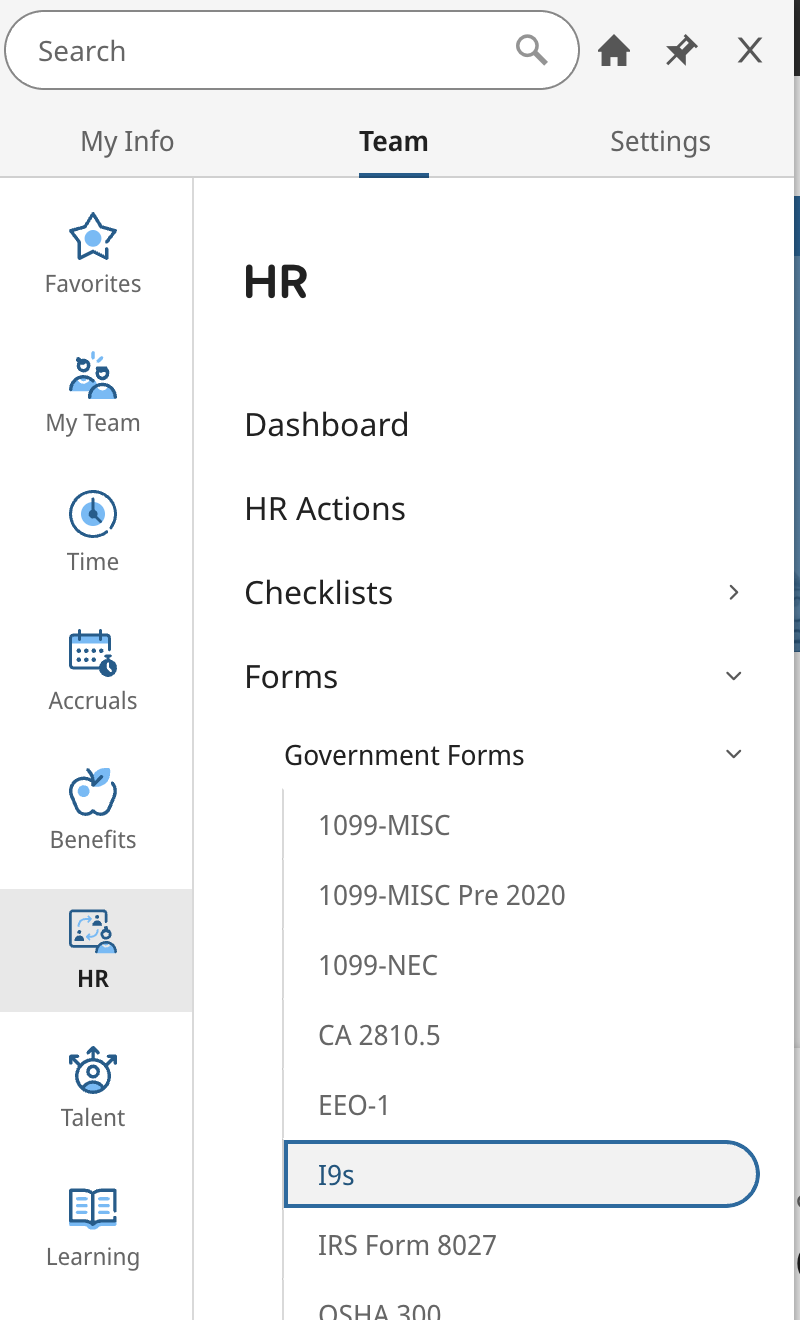 | Option B - You may also see a link to Employee I9 Forms in the Employee Management icon on your Homescreen. 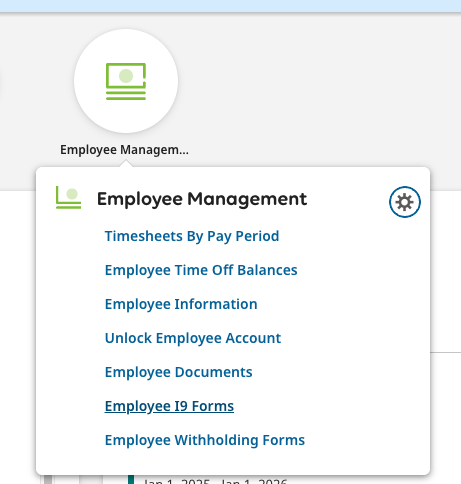 |
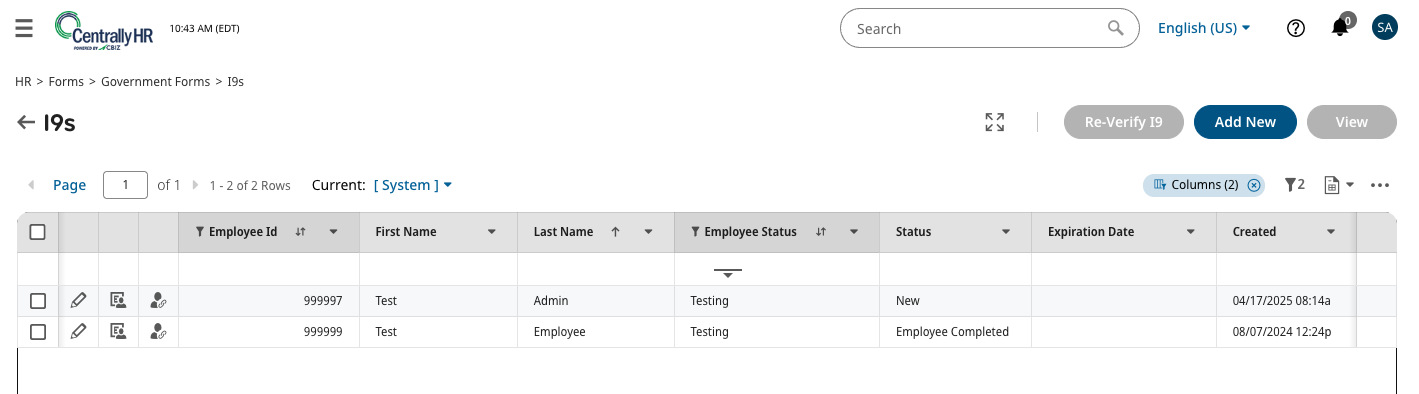
- Once on the I9s page, you will see all recently created forms. Rows with status as "New" still need to be completed and submitted by the employee. Only rows with status as "Employee Completed" are ready to be verified by the designated Approver. To do this verification, click the Pencil Icon in the row of the form you want to verify.
- This will open the Form I-9. Scroll down to Section 2. Employer Review and Verification on Page 1 and enter the information from the document(s) that you are inspecting in person. (Scroll to Page 2 for Lists of Acceptable Documents, or reference the lists from USCIS.) Be sure to include your information at the bottom of Section 2. As of 2025, ArtsPool is no longer uploading or storing these supporting documents in CentrallyHR.
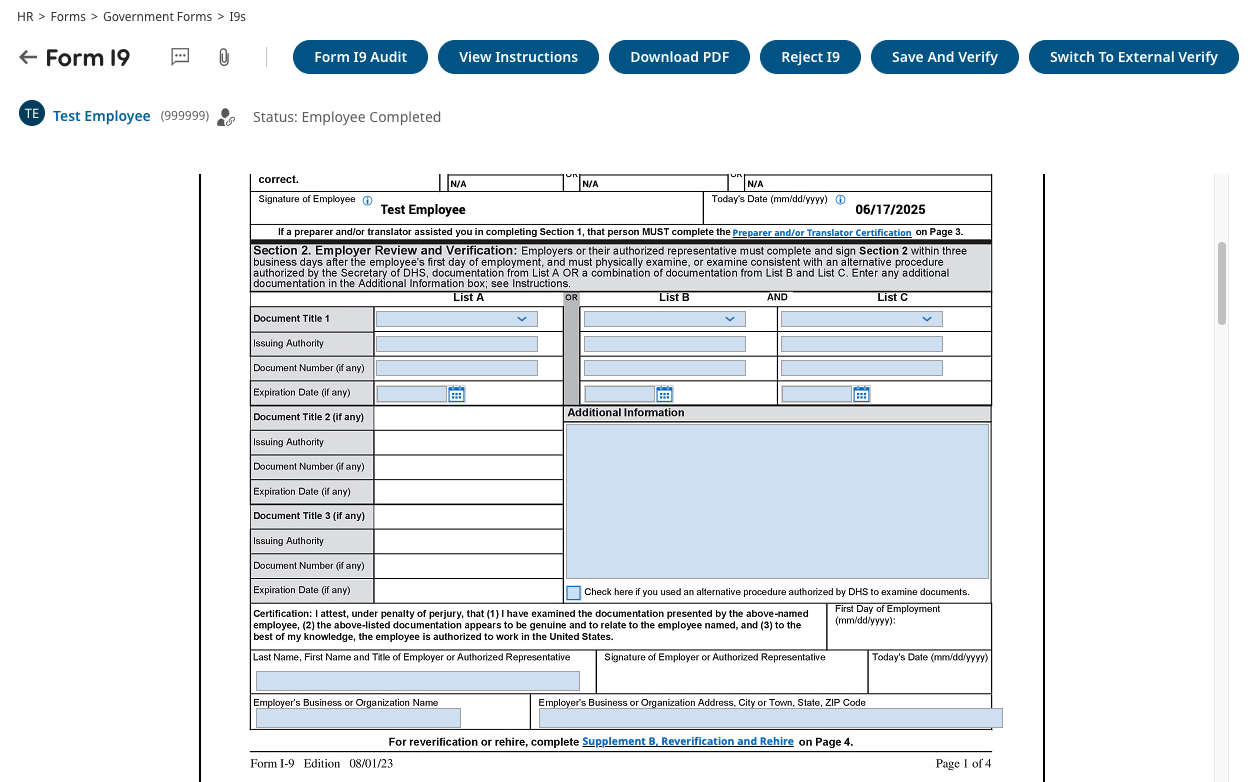
- Once you have entered this information, click on the Save and Verify button on the top right (see above screen capture) to complete the verification process.
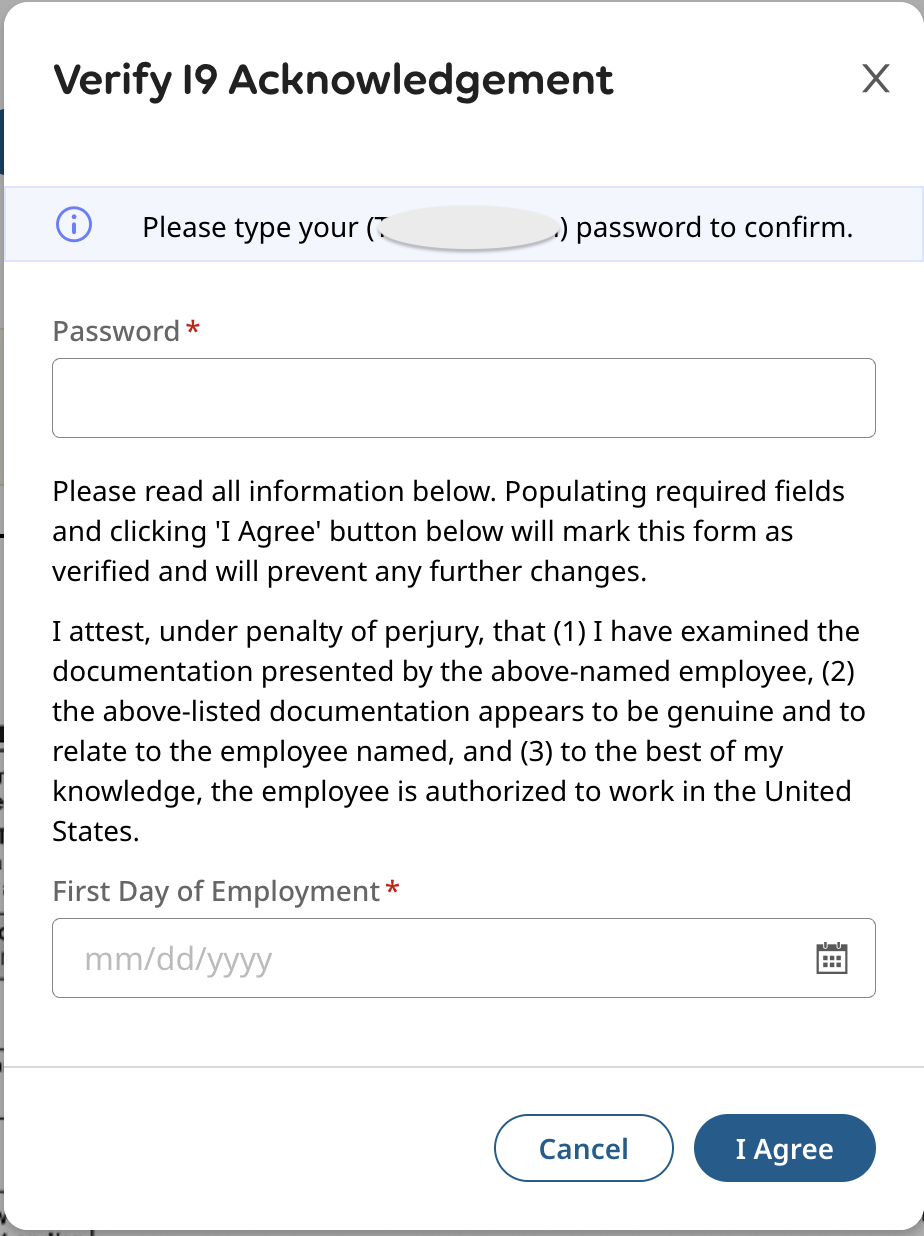
- A pop-up window will appear, asking you to verify this submission by entering your CentrallyHR password, the employee's start date, and clicking on the I Agree button at the bottom right corner.
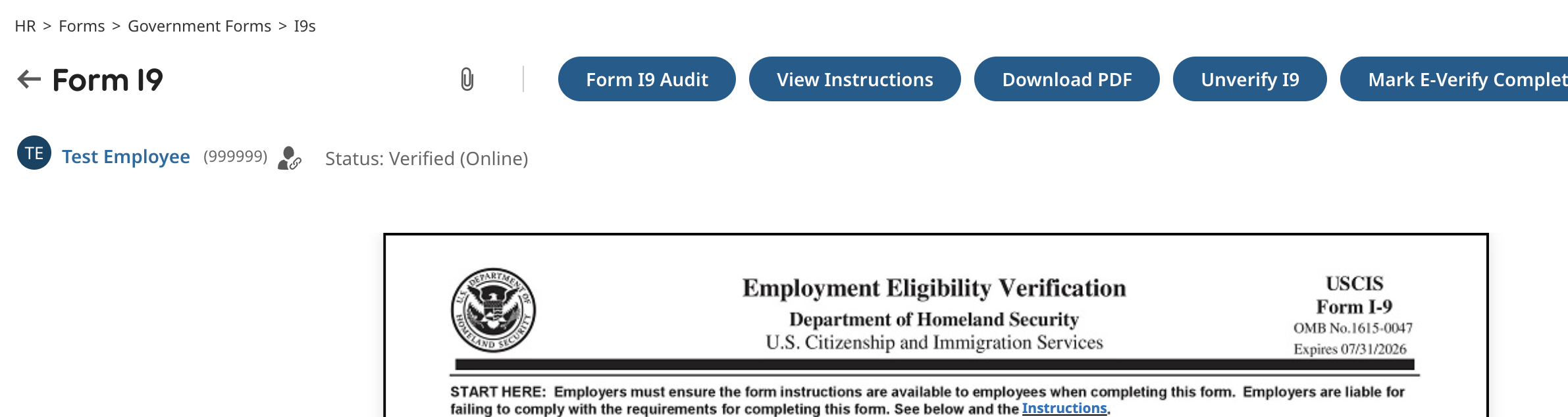
- This will take you to a confirmation screen with an updated status of "Verified (Online)." Congratulations, you've completed the required steps, and your employee's Form I-9 has been verified!
Important Notes
Only the new employee's manager or assigned HR person at your organization can verify this form. If you think you should be able to do this, but aren't able to, please contact your Workforce Administration Lead.
USCIS Guidance Links
For the most comprehensive and up-to-date information, always refer to the official USCIS resources:
- USCIS I-9 Central: https://www.uscis.gov/i-9-central (This is your primary hub for all I-9 related information).
- Handbook for Employers (M-274): This detailed guide covers all aspects of Form I-9.
- USCIS guidance on Retaining Copies of Form I-9 Documents
- Completing Supplement B, Reverification and Rehire Excerpt from this link: "Reverification is never required for U.S. citizens or noncitizen nationals. Reverification is also never required when the following documents expire: U.S. passports, U.S. passport cards, Permanent Resident Cards (also known as Green Cards), and List B documents. Other aliens may require reverification."
- Employee Rights & Resources (Avoiding Discrimination): Find information on preventing discrimination in the I-9 process here: https://www.uscis.gov/i-9-central/employee-rights-and-resources/employee-rights
- Department of Justice, Immigrant and Employee Rights Section (IER): This section enforces the anti-discrimination provisions of the Immigration and Nationality Act: Immigrant and Employee Rights Section | United States Department of Justice
Always check the USCIS website for the most current version of Form I-9 and its instructions, as these can be updated periodically.
How did we do?
Unlocking employee accounts in CentrallyHR
Approving timesheets in CentrallyHR