Accessing reports in CentrallyHR
As a Company Admin/Manager, you have the ability to view various reports in CentrallyHR (dependent on access level). You can get to them through the hamburger menu (top left corner) and expand the My…

Updated
by Tracy Cochran
As a Company Admin/Manager, you have the ability to view various reports in CentrallyHR (dependent on access level). You can get to them through the hamburger menu (top left corner) and expand the My Reports line under My Info.
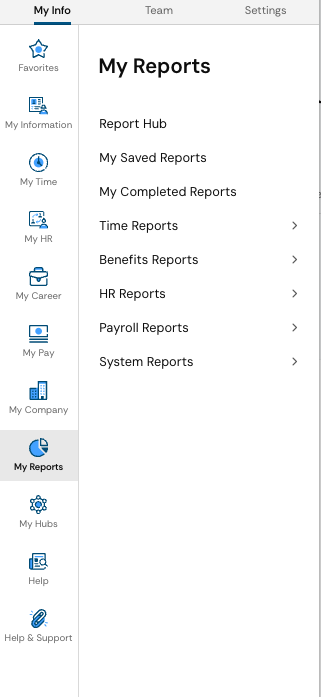
Not all of these sub-categories will be available and are dependent on your respective account's access. For the ones that are available, you will be able to find all kinds of reports that can be customized to provide the data you are looking for.
How did we do?
Unlocking employee accounts in CentrallyHR